
Enhance Pedal Smoothness Improvement with Garmin Tips
Updated: Jun 25
Improving your pedal smoothness can significantly boost your cycling efficiency and performance. Garmin devices provide valuable data to help you analyze and refine your pedaling technique. This post offers practical advice to enhance your pedal smoothness using Garmin tools and insights. You will learn how to interpret your data, adjust your technique, and apply effective training strategies.
Understanding Pedal Smoothness Improvement
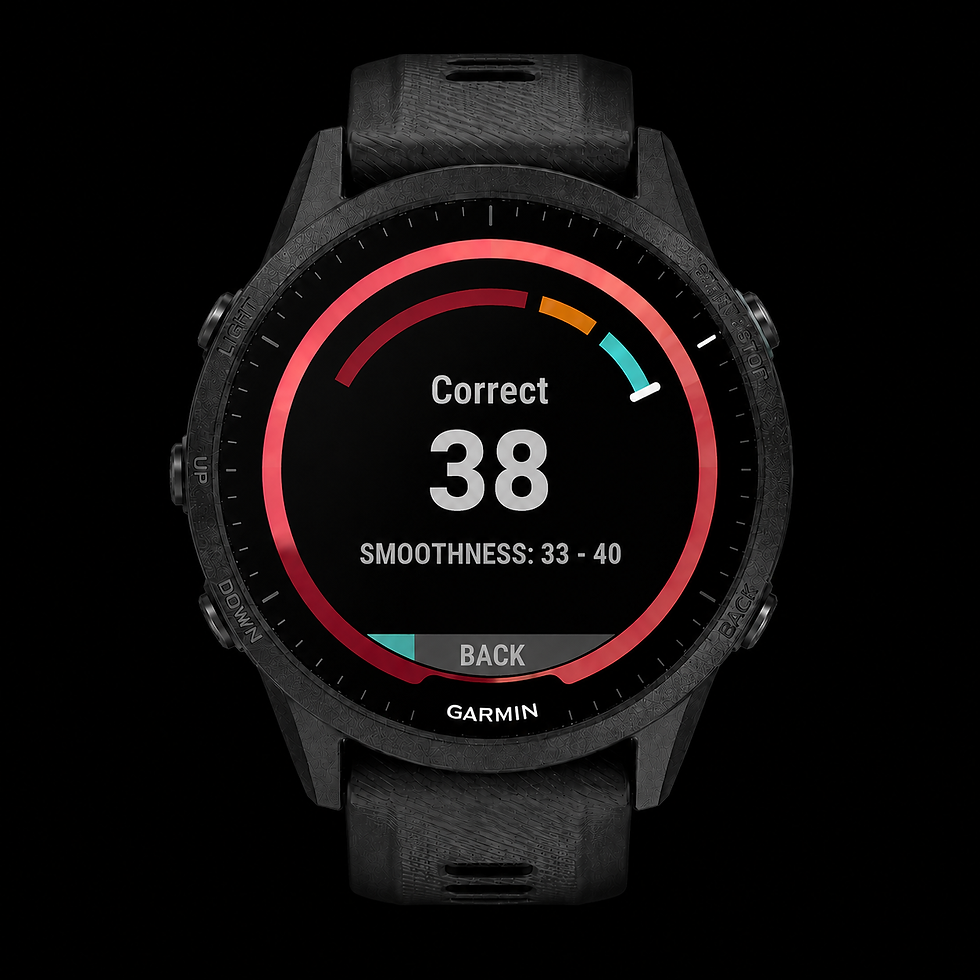
Pedal smoothness measures how evenly you apply force throughout the pedal stroke. A smooth pedal stroke reduces wasted energy and improves power transfer. Garmin devices track this metric by analyzing the force applied during each phase of the pedal rotation.
To improve pedal smoothness, focus on these key areas:
Consistent force application: Avoid sudden spikes or drops in pedal pressure.
Balanced left and right leg power: Ensure both legs contribute equally.
Proper cadence: Maintain a cadence that allows smooth, controlled pedaling.
Using your Garmin device, monitor your pedal smoothness data regularly. Look for trends and identify when your smoothness decreases. This insight helps you target specific aspects of your technique for improvement.

How to Use Garmin Data for Pedal Smoothness Improvement
Garmin devices provide detailed metrics such as pedal smoothness, power balance, and cadence. Use these data points to guide your training and technique adjustments.
Analyze pedal smoothness scores: Check your average and peak smoothness during rides.
Compare left and right leg smoothness: Identify imbalances that may cause inefficiency.
Adjust cadence based on data: Find your optimal cadence range for smooth pedaling.
Use real-time feedback: Some Garmin models offer live pedal smoothness data to help you adjust on the fly.
Incorporate drills that focus on pedal stroke quality. For example, single-leg pedaling drills can help isolate and improve each leg’s smoothness. Use your Garmin device to track progress and adjust your training plan accordingly.

What is a Good Garmin Pedal Smoothness?
A good pedal smoothness score varies depending on your cycling level and goals. Generally, a higher percentage indicates a more even and efficient pedal stroke.
Beginner cyclists may see pedal smoothness scores around 50-60%.
Intermediate cyclists often achieve 60-70%.
Advanced cyclists can reach 70% or higher.
Keep in mind that pedal smoothness is just one aspect of pedaling quality. It should be considered alongside power output, cadence, and overall cycling form. Use your Garmin data to set realistic improvement targets and track your progress over time.
Practical Tips to Enhance Pedal Smoothness
Improving pedal smoothness requires consistent practice and attention to detail. Here are actionable tips to help you refine your technique:
Focus on circular pedaling: Imagine scraping mud off the bottom of your shoe during the upstroke to engage all pedal phases.
Maintain a steady cadence: Avoid sudden changes in pedaling speed that disrupt smoothness.
Strengthen your core and legs: A strong core stabilizes your body, allowing better force application.
Use clipless pedals: They help maintain consistent foot position and improve power transfer.
Incorporate interval training: High-intensity intervals can improve neuromuscular coordination and pedal control.
Regularly review your Garmin pedal smoothness data to see how these changes affect your performance. Adjust your training based on the feedback to continue progressing.
Leveraging Technology for Continuous Improvement
Technology plays a crucial role in refining your pedaling technique. Garmin devices, combined with apps like Pedlpro, offer advanced analysis of pedaling quality (Pq). These tools help you identify inefficiencies and track improvements over time.
Using garmin pedal smoothness tips can provide you with expert guidance tailored to your data. This approach ensures your training is data-driven and focused on measurable results.
Regularly syncing your Garmin device with analysis platforms allows you to:
Visualize pedal stroke patterns.
Detect asymmetries and weaknesses.
Receive personalized training recommendations.
By integrating technology into your routine, you can make informed decisions that lead to better pedal smoothness and overall cycling performance.
Next Steps to Improve Your Pedal Smoothness
Start by setting clear goals based on your current Garmin pedal smoothness data. Create a training plan that includes technique drills, strength exercises, and cadence work. Use your Garmin device to monitor progress and adjust your approach as needed.
Remember to be patient. Pedal smoothness improvement takes time and consistent effort. Focus on small, incremental changes and celebrate your progress along the way.
By combining data analysis, targeted training, and technology, you can enhance your pedal smoothness and enjoy more efficient, powerful cycling rides.


Comments